



Protect Everything®
More than just backup
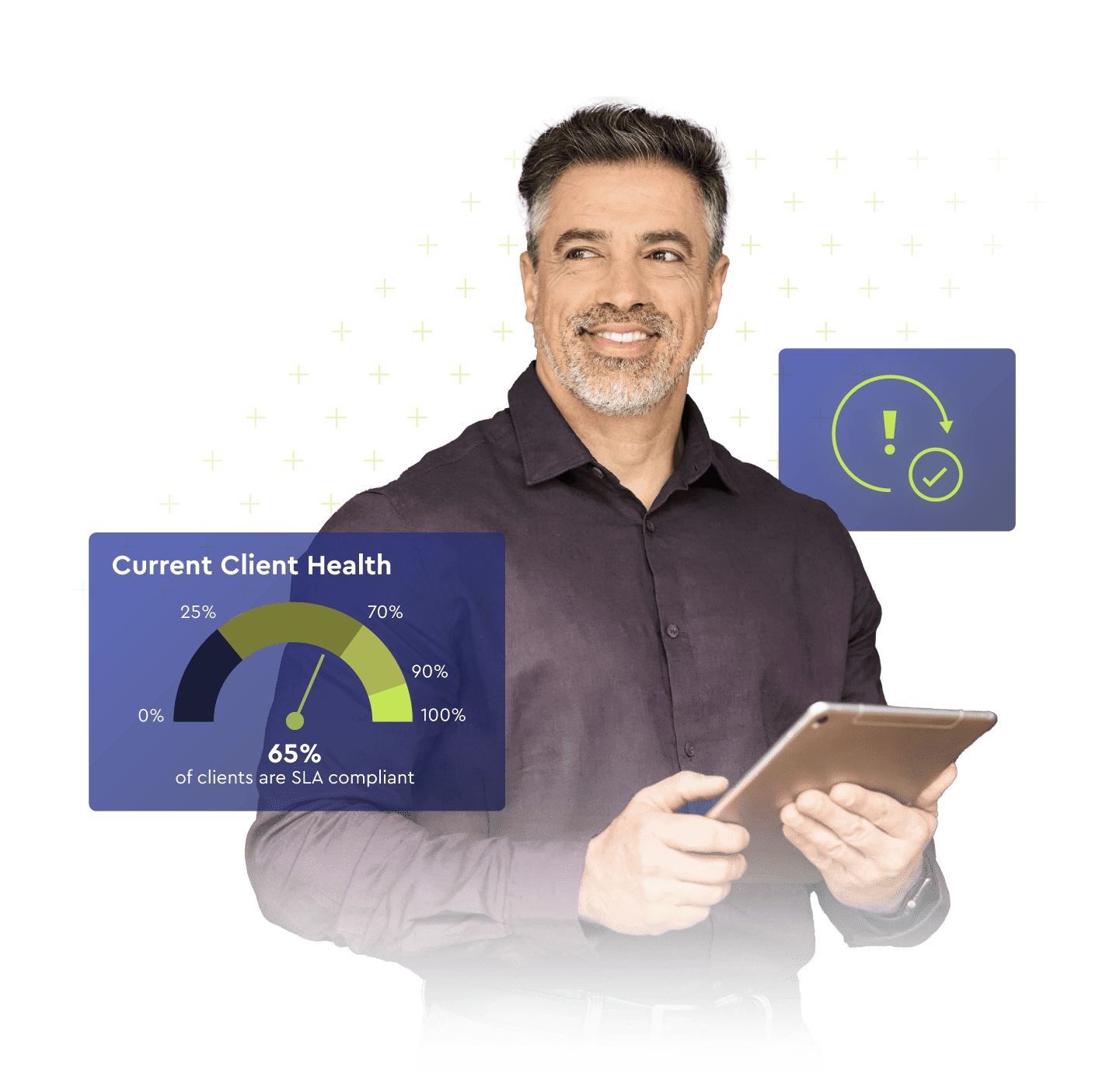
Simplify operations and enhance security with automatic backup integrity verification, pooled data storage, and near-instant recovery, eliminating the need for re-seeding, re-basing, consolidation, and chain management.
Secure, compliant, and reliable
Limit downtime and reinforce your disaster recovery plan to meet compliance and insurability requirements with instant virtualization and advanced data verification.
Deployment flexibility
Get customizable appliance-based or direct-to-cloud data backup and recovery offerings to suit all workloads in on-prem, public and private cloud, or hybrid environments. x360Recover protects what matters most with a single solution for backup for data in Windows, VMware, Linux, macOS, NAS devices, the public cloud, and IaaS models.
Benefits
See how x360Recover can help your business
Purpose-built for most use cases

All-in-one BCDR solution
Reduce time and costs related to vendor sprawl and unscalable solutions. Consolidate, simplify, and expand your data protection.

Scalable endpoint protection
Ensure business continuity for remote employees and satellite offices without on-premise appliances.

Hybrid cloud efficiency
Comprehensive data protection and business continuity for public, private, and hybrid cloud environments.

Hardware agnostic BCDR
Repurpose a current appliance with bring-your-own-device (BYOD), or request a turn-key, burn-in tested appliance.
FEATURES
x360Recover strengthens backup plans
WITH AN APPLIANCE
Traditional on-premise BDR and continuity
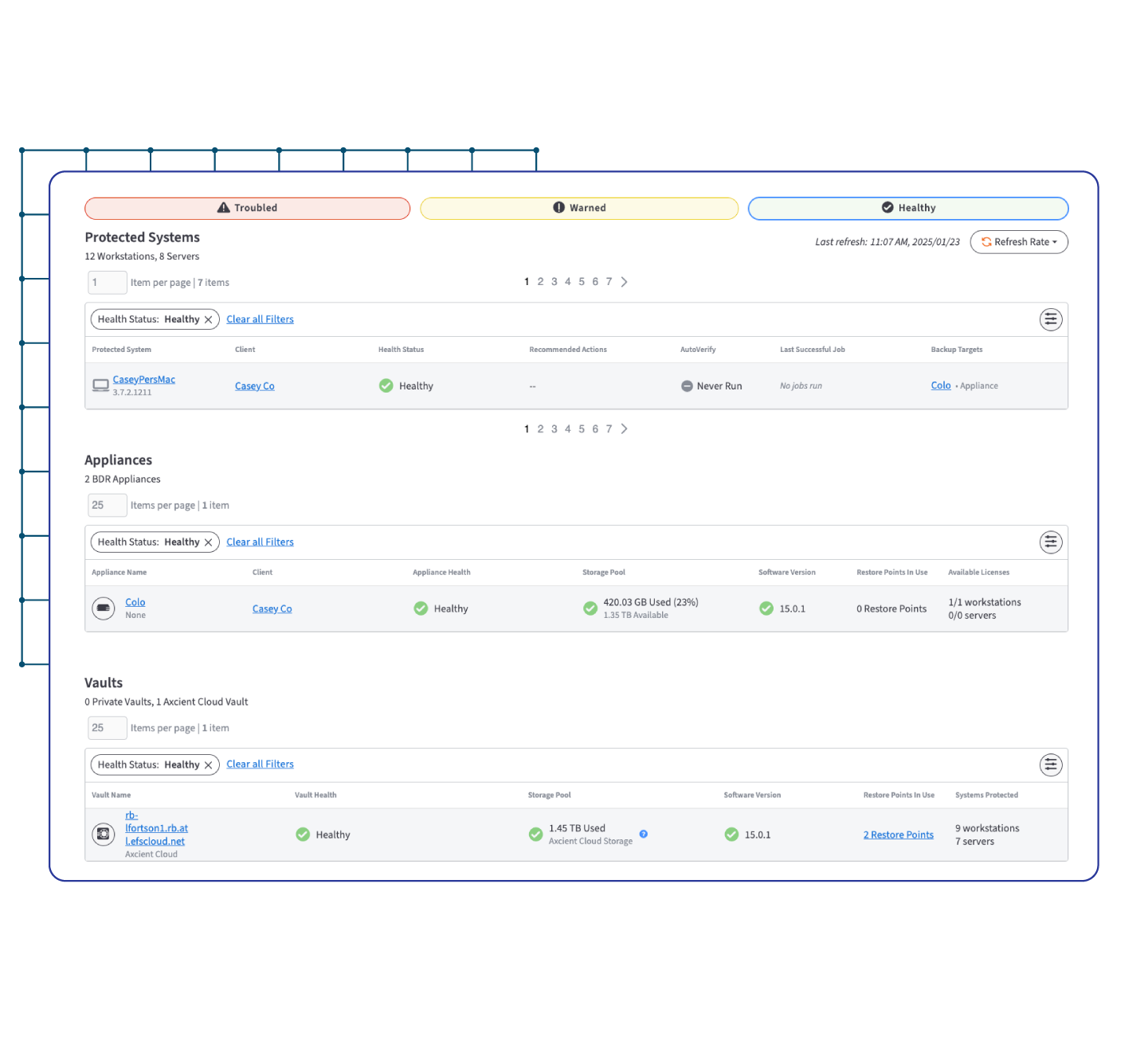
For a traditional backup and disaster recovery (BDR) system, MSPs can offer x360Recover with an appliance to deliver best-in-class recovery speed and responsiveness to ransomware and other cyberthreats.
- Hardware agnostic: bring your own device (BYOD)
- Purchase or lease turn-key bundled appliances
- 15-minute recovery point objective (RPO)
- Less than a 1-hour recovery time objective (RTO)
DIRECT-TO-CLOUD
Cloud BCDR without hardware
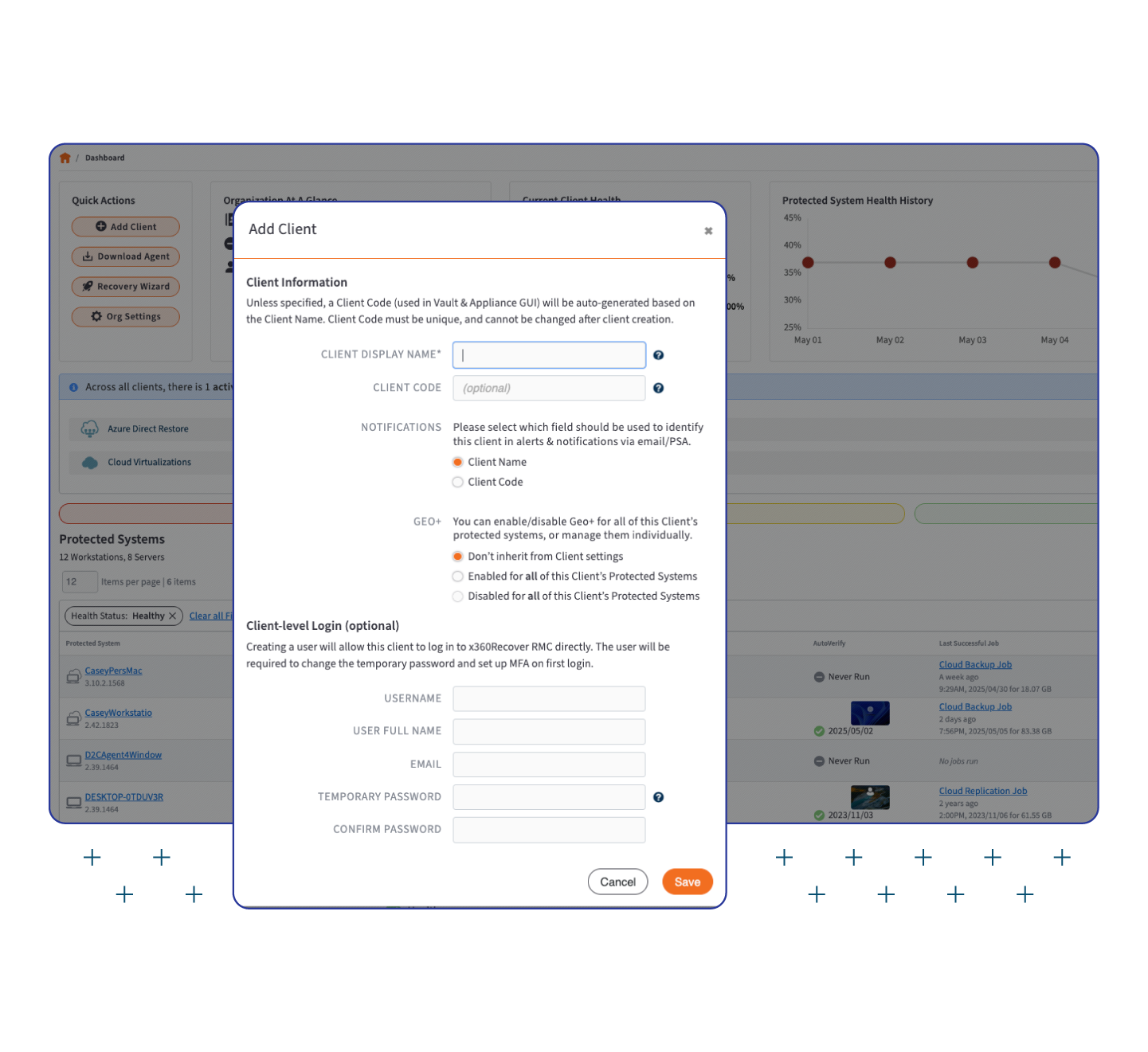
Hardware-free deployment with direct-to-cloud (D2C) for cloud-first infrastructure is a smart choice for profitability. Protect all remote endpoints, desktops, laptops, servers, workstations, and Azure data directly to our secure cloud, your private cloud, or the public cloud without an appliance.
- Chain-free backup technology
- Minutes-long virtualization and near-instant RTO
- Cloud agnostic for bring your own cloud (BYOC), data center, or to replicate to our cloud
- Recovery acceleration with local cache
PUBLIC CLOUD BACKUP
Data protection for public cloud workloads
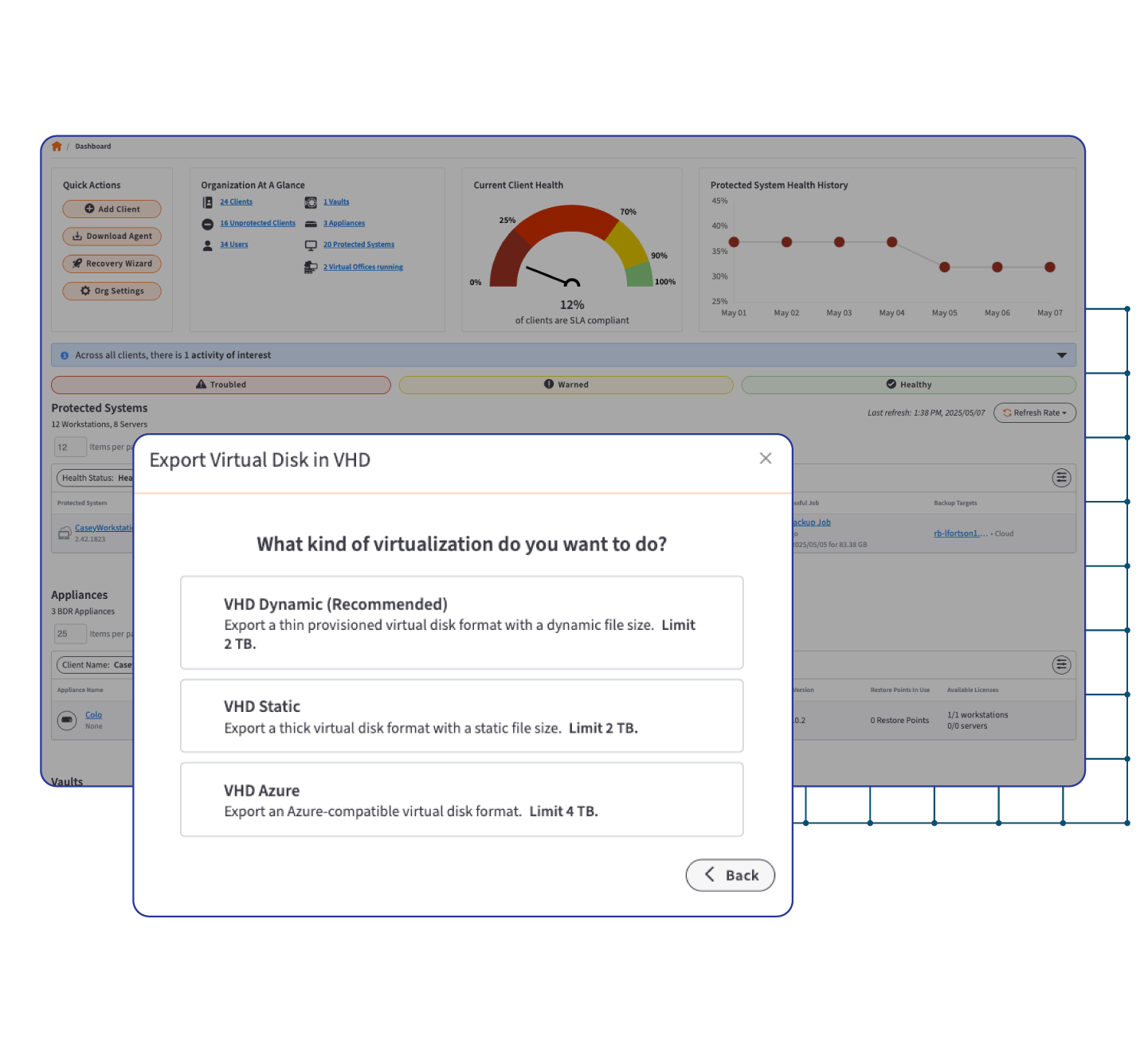
With public cloud backup you can protect, virtualize, and recover Azure data and deliver on SLAs with rapid recovery and business continuity for public cloud data. Hardware-free D2C sends data straight to our secure cloud.
- Fully supports Windows servers and desktops running in the public cloud
- Protect Microsoft Azure VMs and Azure Files Shares to ensure that all data is available in the Axcient Cloud in the event of Azure outages
- Built-in, advanced automation features for DR testing and recovery with AutoVerify backup integrity testing
Always On Data Protection Features

AutoVerify
AutoVerify is a critical capability for automated backup integrity testing that ensures backups are always recoverable via boot and deep volume checks.

AirGap
AirGap provides anti-ransomware and data loss protection that separates data deletion requests from deletion mechanics to prevent data deletion for data immutability.

Virtual Office
Self-managed disaster recovery (DR) to virtualize systems in the Axcient Cloud to test or temporarily replace all impacted production infrastructure for business availability.

Runbooks
Create client-specific Runbooks using matching existing server configurations for fast virtualization in a disaster or for testing DR plans.

Local Cache
Pair x360Recover Direct-to-Cloud with a local USB or NAS Local Cache device for a recovery acceleration layer to substantially decrease recovery and failback times.

Geo+
Geo-redundant data protection to mitigate risk and ensure compliance after localized disasters by duplicating and synchronizing data and critical services in two US data centers.
Integrations
We’re committed to an open API ecosystem. Check out these native integrations designed to enhance your workflow.


Autotask

Reports and Dashboards (formerly BrightGauge)

Cork

Gradient


ScalePad Backup Radar
Resources & Related Solutions


Related Solutions

Frequently Asked Questions (FAQs)
What makes x360Recover different from other BCDR products?
x360Recover uses chain-free technology, AutoVerify testing, and AirGap protection. This means no backup chain management, faster recoveries, guaranteed backup integrity, and built-in ransomware defense, without the storage bloat and corruption risks of legacy systems.
How does x360Recover protect my backups from ransomware and data loss?
AirGap technology creates immutable snapshots that cannot be deleted or altered by attackers. Combined with AutoVerify’s nightly boot checks, your backups are safe, reliable, and always ready to restore.
What are my deployment options—appliance, cloud, or hybrid?
You can deploy as an on-premises appliance for faster local recovery, go direct-to-cloud for cost savings and simplicity, or combine both using our optional Local Cache for maximum flexibility.
Can I use my own hardware or cloud infrastructure?
Yes. With BYOD (Bring Your Own Device) and BYOC (Bring Your Own Cloud) options, you can leverage your existing infrastructure while still benefiting from x360Recover’s chain-free backup and recovery technology.
How does x360Recover integrate with ConnectWise tools?
x360Recover can be integrated with ConnectWise PSA and ConnectWise RMM to fully automate ticketing, billing, and alerts, as well as endpoint security tools like ConnectWise MDR and ConnectWise SIEM for advanced threat detection and recovery. Over 40 apps can be unified via the ConnectWise Platform, providing single-pane monitoring and backup management without the vendor sprawl.
How easy is it to deploy agents through the ConnectWise Platform?
Deployment is streamlined, with policies and packages in the ConnectWise Platform that let you push x360Recover backup agents automatically. This reduces setup time and ensures consistency across client environments.
What is the Virtual Office, and how does it help during downtime?
Virtual Office lets you spin up client systems instantly in the Axcient Cloud to enable fast, self-managed cloud failover and regular recovery tests. Perform disaster recovery for one critical system or an entire office.
How do I migrate from the retired ConnectWise Continuity Backup or ConnectWise Backup solutions to x360Recover?
Migration is straightforward, with step-by-step guidance available via webinar. Our team ensures data protection and minimal downtime throughout the process.
What data types can I protect with x360Recover?
x360Recover protects data across Windows, VMware, Linux, macOS, NAS devices, ReFS file systems, the public cloud, and IaaS models with comprehensive business continuity and disaster.recovery (BCDR) – regardless of your client’s budget, environment, or compliance demands.
Want more info?
Provide your information and one of our product experts will get in touch to answer any questions you may have about Axcient™ x360Recover.