







Protection and Continuity for SaaS Applications
Backup
Rely on automated cloud-to-cloud backups

Search
Conduct full-text search with filtering and point-in-time
Restore
Perform both granular and macro-level restores

Audit
Detailed reports of backups and audit logs
Benefits
See how x360Cloud can help your business
SAAS APP DATA PROTECTION
Backup. Search. Restore. Audit.
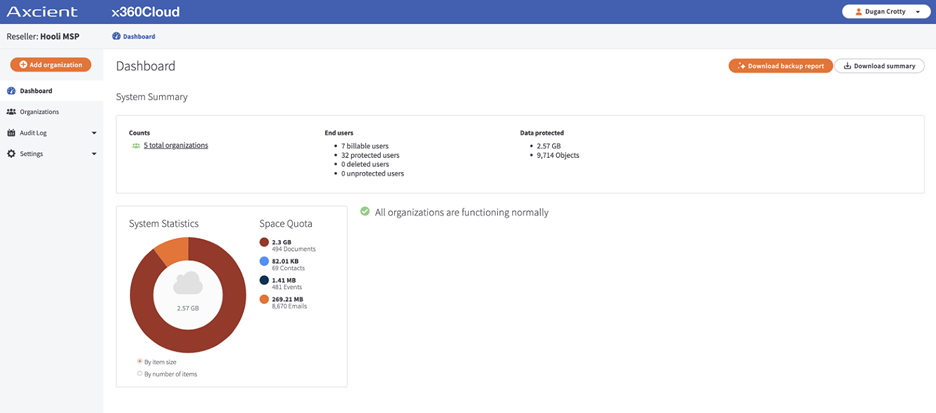
x360Cloud protects data in Microsoft 365 and Google Workspace. With this cloud-to-cloud backup, our partners can keep businesses running and be audit-ready with searchability and fast restores of items and data within their Microsoft 365 and Google Workspace backups. Axcient x360Cloud automatically backs up Microsoft 365 and Google Workspace data so that it can always be located, restored, and audited for uninterrupted business continuity after a data loss incident.
x360Cloud delivers BCDR for:
- Microsoft 365 suite of apps: Exchange Mail, Calendar, Contacts, OneDrive, and SharePoint
- Google Workspace: Gmail, Calendar, Contacts, Drives, Sites, and Shared Drives
MICROSOFT 365
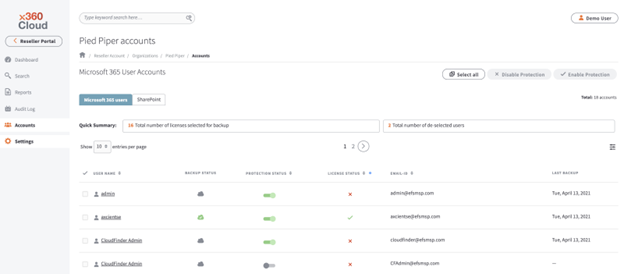
Data protection for Microsoft 365
While Microsoft 365 does provide business enablement tools for collaboration and data access anywhere, it does not provide data loss protection. In today's landscape of more sophisticated threats, business continuity SLAs require more comprehensive backup plans, meaning MSPs must protect clients’ Microsoft 365 data in:
- Exchange Mail and Contacts
- Outlook Calendar
- OneDrive
- SharePoint
GOOGLE WORKSPACE
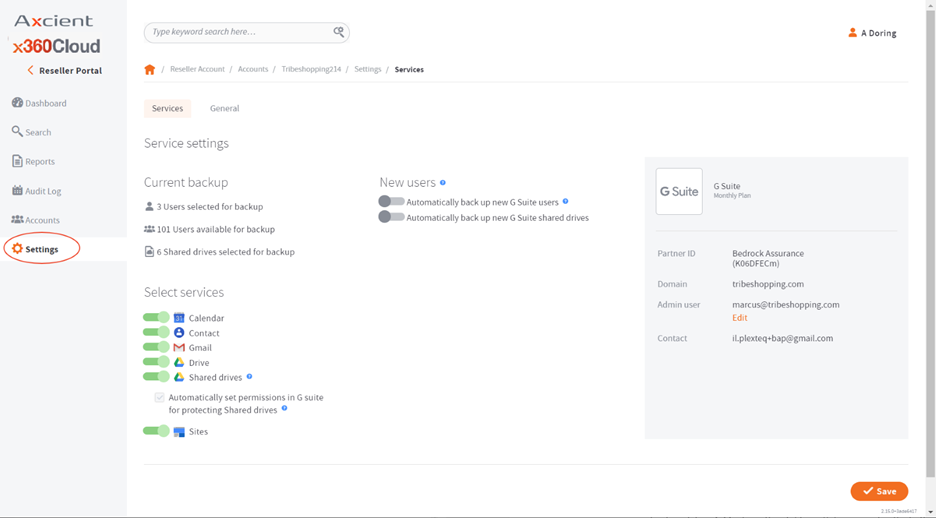
Protection for data in Google Apps
Google recommends third-party services to avoid the risk of complete downtime by putting all your eggs in one basket. When an MSP allows a client to back up business-critical data to the same cloud where their data is stored, the MSP can’t promise they can deliver business continuity. If you have clients that are Google shops, you need to protect their data in:
- Gmail and Google Calendar
- Google Contacts
- Google Drives and Shared Drives
- Google Sites
BUSINESS CONTINUITY
Microsoft 365 and Google Workspace Continuity
Proactive protection for your clients must include backups of MS 365 and Google Workspace data to deliver business continuity to keep their business running no matter what. Relying on native backups in the same cloud means that during infrastructure outages or targeted attacks, those backups go down, too. Plus, human error causes over 50% of data loss incidents and is often not discovered for months – long after cloud provider’s limited retention periods.
- Google’s Terms of Service: “The only commitments we make about our services (…) are (1) described in the Warranty section, (2) stated in the service-specific additional terms, or (3) provided under applicable laws. We don’t make any other commitments about our services.”
- Microsoft Services Agreement Section 6b: “We recommend that you regularly backup Your Content and Data that you store on the Services or store using Third-Party Apps and Services.”
Be more secure with holistic visibility
SmartSearch
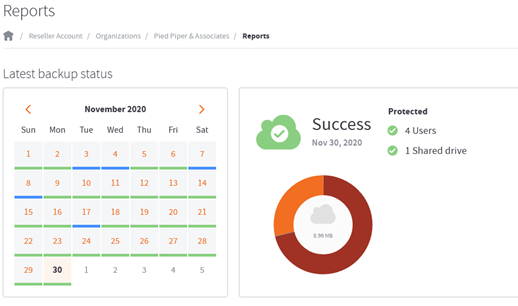
Instant full-text search and rich filtering can search more than 100 million objects in less than 5 seconds

Axcient Cloud
Data is backed up to the encrypted, tamper-proof, SOC 2 Certified Axcient Cloud with AirGap for immutable data

Fast Deployment
< 10 minutes to set up and start backing up and multiple backups/day with monitoring and verification

AirGap
Anti-ransomware and anti-data deletion technology protects against ransomware and malicious or accidental deletion

Logs and Reports
Exportable and immutable audit logs, extensive diagnostic details, and granular reports satisfy e-discovery requests/audits

Integration and APIs
Integrate with PSAs for monitoring, alerting, backup diagnostics, and remediation workflows, and Public APIs to simplify workflows
Related Solutions
Frequently Asked Questions (FAQs)
How does x360Cloud deliver cloud‑to‑cloud backup for Microsoft 365 and Google Workspace while keeping RPOs tight?
x360Cloud automatically backs up Microsoft 365 and Google Workspace to the encrypted, tamper‑proof Axcient Cloud. Frequent snapshots and independent off‑platform copies help you meet aggressive RPOs.
Which granular vs. macro‑level restores are supported in x360Cloud, and how quickly can we recover typical items?
Perform item‑level, user‑level, or service‑level restores (e.g., a mailbox, OneDrive, or SharePoint site). Typical item restores complete in minutes; larger bulk restores vary by data volume.
What audit logs and backup reports are available to support compliance and e‑discovery in x360Cloud?
Comprehensive search plus activity/audit logs and backup reports make it straightforward for evidence retention and recovery for compliance.
How does x360Cloud maintain business continuity during SaaS outages or user error recovery scenarios?
Because data resides in the Axcient Cloud with immutability via our AirGap technology, it is recoverable even if Microsoft 365 or Google Workspace is unavailable, or if data is deleted or corrupted.
What’s the onboarding flow to connect multiple tenants for Microsoft 365 backup and Google Workspace backup under one partner account?
You can provision tenants from the partner console, grant consent, and immediately start protection. Many partners deploy in under 10 minutes per tenant.
What is the cloud storage policy for x360Cloud?
Per our Fair Use Policy, each x360Cloud billable seat adds 100GB to x360Cloud Fair Use Cloud Storage, and it is pooled at the partner level.
What Google Workspace apps does x360Cloud protect?
If you have clients that are Google shops, x360Cloud protects their data in Gmail, Google Calendar, Google Contacts, Google Drives and Shared Drives, and Google Sites.